


Fake GPS Location- LocaEdit
4.1139.00 Reviews
App Specs
- Version
- 1.7.2
- Updated On
- License
- Free
- Downloads
- 1,000,000+
- Developer
- VDL Tech
- Categories
- Maps & Navigation
- Platform
- Android
Screenshots
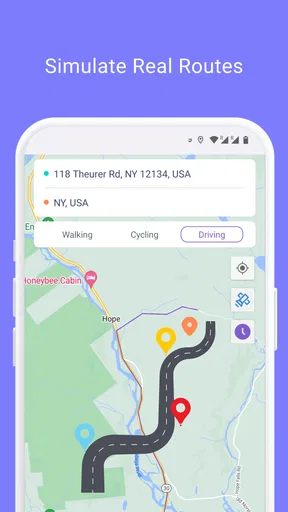
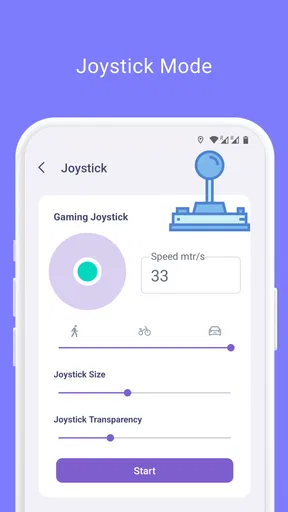
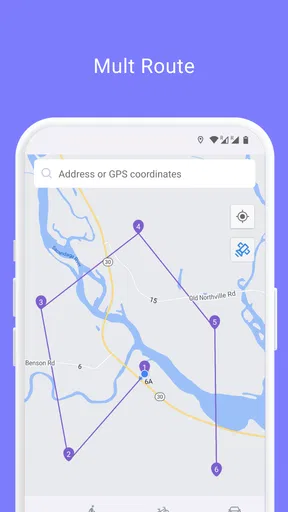
 Analysis by AppCompare
I find a location-changing app most useful when I have a clear, limited reason to use one: testing an app, checking how a location-based screen behaves, or simply exploring the idea of a different place without going anywhere. The important distinction is that changing the location your phone reports is not the same as changing where you physically are. That makes Fake GPS Location- LocaEdit an occasional utility rather than a replacement for a map or navigation service, and it is worth thinking through what other apps on your phone may do with that location.
What a quick location change is good for
For a developer checking a location-aware feature, being able to select a point on a map can make a basic test easier than travelling to a new place. I would still treat a simulated location as one test input, not proof that an app works perfectly everywhere: a real device’s location conditions and a simulated point are not necessarily interchangeable. If the task is to see whether a screen responds to a different reported location, this kind of tool can be convenient. If the task depends on real-world positioning, a mock location cannot stand in for being there.
There is a simpler everyday use, too. You might want to see how an app presents location-based content when your reported position is elsewhere, then switch back before relying on directions, local results, or anything that needs your real location. I’d keep that experiment separate from practical travel planning. A spoofing tool changes the location signal; it does not tell you whether a route is accurate, whether a place is open, or whether you can actually reach it.
Expectations for speed and setup
The appeal here is the short path from choosing a point to changing the phone’s reported location. The map-based selection described in the app’s workflow is more direct than entering coordinates by hand, and the ability to search or move a pin gives you two ways to choose. That should suit casual use, though a quick selection should not be confused with guaranteed compatibility across every app. A service may treat simulated location differently or refuse to use it.
There is some setup friction: the published walkthrough says Android developer options need to be enabled. That is a meaningful step for someone who has never changed a system setting, even if the process is guided. I would read each prompt rather than rushing through it, and I would avoid changing unrelated developer settings just to get started. If you only need ordinary directions or nearby places, the standard maps app is both simpler and better suited to the job.
Exploring the Features
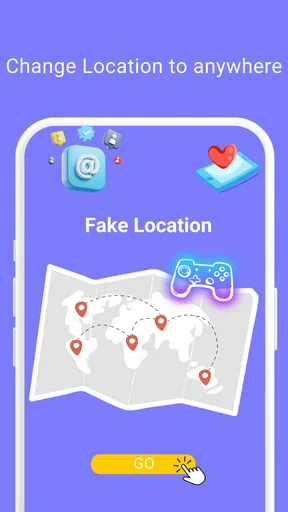
First things first, let’s talk about what this app can do. LocaEdit allows you to change your phone’s GPS location to anywhere in the world with just a few taps. Want to see what’s happening in Tokyo or pretend you’re sunbathing in Bali? Easy peasy. The interface is straightforward, making it user-friendly even for the less tech-savvy among us.
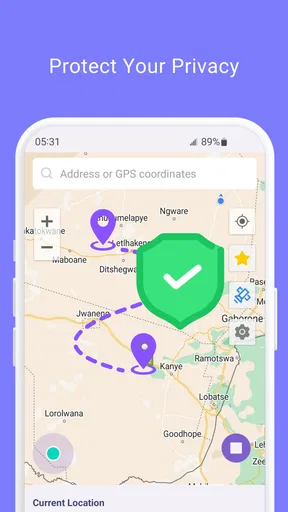
Once installed, opening the app presents you with a map interface. You can search for any location or simply drag and drop the pin to your desired spot. It’s incredibly satisfying to see your phone’s location change as if by magic! The app also offers a history feature, keeping track of the places you’ve ‘visited,’ which is pretty nifty if you like revisiting your favorite faux destinations.
Worth Reading Before You Choose

EA SPORTS FC Mobile 26 Is a Bigger Football Game, but It Takes Time

Flipboard Shows What News Apps Must Do Beyond the Feed

Switching to Android Auto Means Rethinking Your Driving Routine

Google Calendar Makes a Crowded Week Easier to Manage

Ludo King Makes the Most of the Minutes Between Plans

Baby Panda World Brings Quick Play to Modern Phones, but Its Game Library Feels Busy
Reliability when other apps are involved
A location change can affect more than the app you opened it for. Other apps that request your location may receive the altered position, so I’d avoid leaving a pretend location active while using services that need to know where you really are. A navigation app, a local search, or an app used for a real-world appointment can give misleading results if it sees a simulated point. The safest habit is to treat spoofing as a temporary test: make the change, check only what you intended to check, then restore your normal location before returning to everyday tasks.
It is also sensible to expect uneven results. The app can change the reported GPS position, but it cannot make another service accept that position. Some services may detect spoofing, and their responses can vary. If a game or social platform blocks the change, repeatedly trying to get around its rules is not a good use of your time; use the service as intended instead. For development work, test your own app or a permitted test environment rather than relying on a third-party service’s reaction as a dependable benchmark.
A practical routine for occasional use
Imagine you are checking a location-aware feature before showing it to someone. I would first note which app needs the simulated position, choose a recognizable point with the map or search, and check only the relevant screen. Then I would return to the location tool and restore the phone’s normal behavior before opening a map for an actual trip. This small sequence helps prevent the most common mix-up: forgetting that the phone is still reporting the test location.
The history feature may make repeating a previously selected place easier, but I would use that convenience deliberately. A saved or remembered destination can be useful for rerunning the same test; it can also make it easier to select an old location by mistake. Before relying on any location-sensitive result, check the map position the phone is reporting rather than assuming it has returned to where you are.
Why Use It?
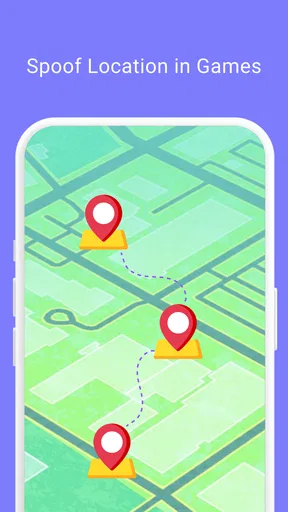
Now, you might be wondering, "Why would I want to change my GPS location?" There are actually several practical uses. For instance, developers often use such apps to test location-based features in applications. Social media enthusiasts might find it handy for location-based posts, and gamers can use it to access geo-restricted features in certain games. It’s a little tool that packs a punch for those who know how to wield it.
Of course, there’s a playful side to it, too. Imagine tricking your friends into thinking you’re on a spontaneous trip to Paris or the beaches of Thailand. The possibilities are as endless as your imagination.
Who will appreciate it, and who should pass
I can see this being most useful for someone who already understands why they need a simulated location and is comfortable following a short setup process. A developer checking a location-driven interface, or a curious user trying a feature that changes based on location, has a clearer reason to install it than someone who just wants better navigation. The map selection and location history are practical touches for repeated experiments, especially when manually finding a point each time would be a nuisance.
I would skip it if your main goal is reliable turn-by-turn directions, finding nearby businesses, or sharing your actual whereabouts with people who depend on that information. A regular maps app is the right tool for those jobs because it is intended to represent and use your real position. I would also avoid using a fake location to mislead a service or bypass its rules; besides the risk of a service rejecting it, the result may be unreliable and could interfere with other apps.
Getting Started
Installing the app is a breeze. Available for both Android and iOS, just head over to the respective app store, search for "Fake GPS Location- LocaEdit," and hit download. Once it’s on your device, setting it up is intuitive. You’ll need to enable developer options on your phone, which the app guides you through step by step. Don’t worry; it’s not as daunting as it sounds.
After setup, you’re ready to start hopping around the globe. Select your location, and presto! Your phone thinks it’s somewhere else entirely. Whether you’re a tech guru or a casual user, you’ll find the app’s functionality impressive.
Compatibility, cost, and device expectations
Mobispeedy’s app is free to install, with optional in-app purchases listed from $2.99 to $39.99 per item. I would start with the free experience and decide whether it fits your needs before spending anything. It is rated for Everyone, has a 4.2 average from around 42 thousand ratings, and has passed one million installs. Those figures suggest plenty of people have tried it, but popularity does not guarantee that a particular game, social platform, or device will accept a simulated location.
The current version is 1.2.9, and the stated minimum operating system is Android 6.0. That minimum is useful when checking an older Android device, but it is not a promise that every phone or every app will behave identically. If you are using a device with limited free space or many apps running, I would avoid drawing conclusions about resource use from the app’s purpose alone; the practical test is whether it remains responsive on your own phone during the task you need. If it does not, close unnecessary apps and keep the test short rather than assuming the location tool can fix device-wide slowdowns.
Things to Keep in Mind
While the app is a lot of fun and quite useful, it’s important to use it responsibly. Spoofing your location can violate the terms of service of other apps, so it’s wise to check their rules before diving in. Plus, some services might detect spoofed locations, but hey, that’s part of the game!
On the technical side, keep in mind that using GPS spoofing apps can affect other apps that rely on your location. It’s a minor trade-off for the nifty features you get in return, but something to be aware of nonetheless.
How it compares with ordinary maps
LocaEdit and a conventional navigation app solve different problems. A navigation app is meant to help you understand where you are and get somewhere; a fake-location app changes what the phone reports so you can test or explore a location-dependent behavior. The first is the better choice for driving, walking, or finding a real nearby place. The second only makes sense when you intentionally want to test a different reported position and understand the knock-on effects.
Compared with manually changing a location input inside your own test project, a phone-level tool can be more convenient for checking how an installed app reacts. The trade-off is that the simulated location can affect other location-aware apps too, so it takes more care than a test confined to one project. If you need precise, repeatable engineering tests, a controlled development workflow may be preferable; if you want a simple map-based location change for an occasional check, this app is easier to approach.
Final Thoughts
At the end of the day, the Fake GPS Location- LocaEdit app is a delightful little tool that opens up a world of possibilities. Whether you're using it for work, play, or a little bit of both, it offers a unique way to interact with your device and the apps you use every day. Just use it wisely, and you’ll have a blast!
If you’re curious and ready to give it a go, you can find the download links on our website. Happy traveling—from your couch, of course!
My performance verdict
I would judge this app less by how quickly a pin moves and more by whether it makes a short location test manageable without creating confusion afterward. Its map selection and history point toward convenience for occasional repeat use, while the developer-options setup and inconsistent acceptance by other services are the main friction points. I would not expect it to improve navigation, guarantee access to location-restricted features, or behave the same way in every app.
For a clearly defined, low-stakes test, it can be a handy option. Keep the location change temporary, check the selected point before testing, and restore your real position before using apps that need it. If you want trustworthy directions or dependable location sharing, choose a normal maps or location service instead. That distinction is what makes this tool useful rather than confusing: it is for changing a reported location on purpose, not for replacing your real one.
Pros
- Easy to set up and use interface.
- Supports multiple location settings.
- No root required for Android.
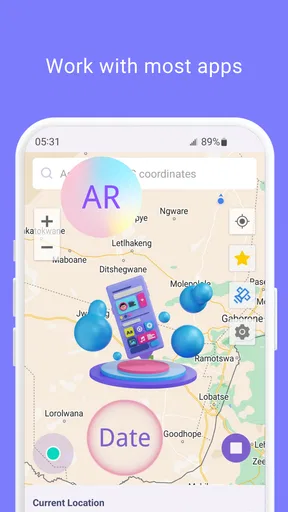
- Works with most social apps.
- Battery-friendly operation.
Cons
- May not work with all apps.
- Limited features in free version.
- Can cause app compatibility issues.
- Requires constant GPS toggle.
- Potential privacy concerns.
FAQs for Fake GPS Location- LocaEdit
What is Fake GPS Location - LocaEdit used for?
Fake GPS Location - LocaEdit allows users to change their device's GPS location to any place in the world. It's useful for apps that require location services, such as social media check-ins, location-based games, or testing purposes. Always ensure that using a location spoofer complies with the terms of service of the apps you use.
Is it legal to use Fake GPS Location - LocaEdit?
Using a GPS spoofing app is generally legal; however, it's crucial to understand the terms and conditions of individual apps, as many prohibit location spoofing. Misusing the app for fraudulent activities or to gain unauthorized access might lead to account bans or legal repercussions.
Does Fake GPS Location - LocaEdit work on all Android and iOS devices?
Fake GPS Location - LocaEdit is compatible with most Android devices, but iOS compatibility may be limited due to Apple's strict app policies. Root access (Android) or jailbreaking (iOS) might be necessary for advanced features, which could void warranties or affect device security.
Will using Fake GPS Location - LocaEdit affect my device's performance?
The app is designed to run smoothly on most devices. However, prolonged use might drain the battery faster due to continuous GPS usage. It's advisable to monitor your device's performance and battery life while using the app to avoid any issues.
Are there any risks associated with using Fake GPS Location - LocaEdit?
Potential risks include breaching app terms of service, which could lead to account suspensions. Additionally, enabling developer options or jailbreaking for advanced features might expose your device to security vulnerabilities. Always use reputable sources for app downloads to avoid malware.


